
Buying Your First Gaming PC: A No-Nonsense Guide
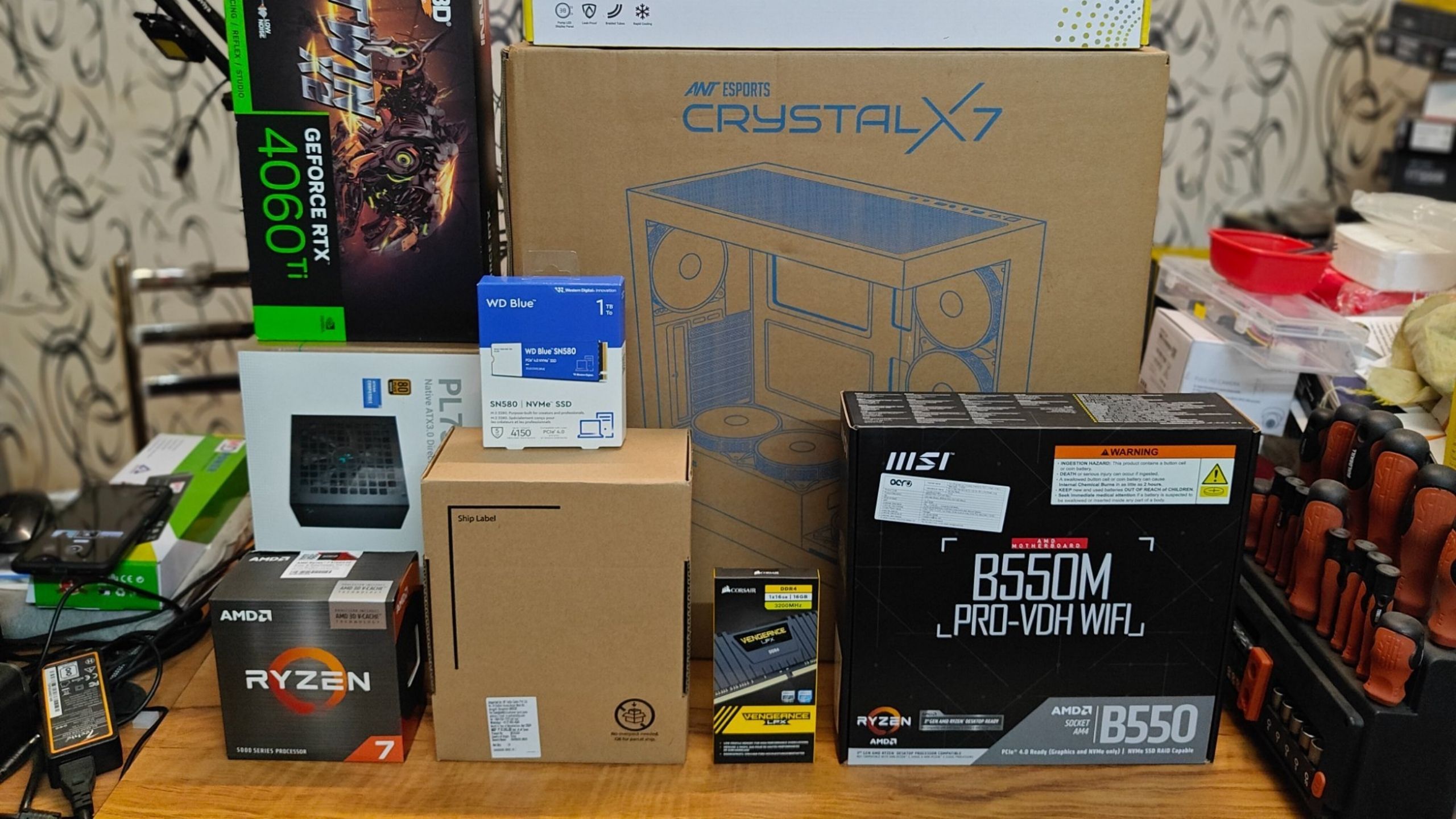
Buying your first gaming PC feels harder than it needs to be, mostly because the internet is full of people arguing about specs that don’t matter to you yet. You don’t need to become a hardware expert. You need to understand four or five things well enough to avoid the two or three mistakes that actually waste money. That’s what this guide is for.
What each part actually does, in plain English
Skip this section if you already know it. If you don’t, this is everything you actually need before any of the rest of this guide makes sense.
GPU (Graphics Card)
Draws what you see on screen. This is the single biggest factor in how good your games look and how smoothly they run. If you remember one thing from this guide, it’s that your budget should go here first.
CPU (Processor)
Handles everything that isn’t graphics, game logic, physics, loading data. A weak CPU paired with a strong GPU creates a “bottleneck,” your expensive graphics card sits idle waiting for the CPU to catch up.
RAM (Memory)
Short-term working space for whatever’s currently running. Too little, and your PC has to constantly swap data in and out, causing stutters. 16GB is the realistic minimum for gaming in 2026.
Storage (SSD)
Where your games actually live. An SSD loads games in seconds instead of minutes. Don’t buy a gaming PC with only a traditional hard drive in 2026, that’s the one component with no acceptable excuse to skip.
PSU (Power Supply)
Feeds power to everything else. Boring until it fails, and a failing PSU can take other components down with it. Not a place to save $20.
The one rule that saves first-timers the most money: figure out your GPU first, then build everything else around it. Buying a flashy case and an expensive CPU before you’ve settled on a graphics card is the most common way first-time budgets get wasted on the wrong priorities.
Decide your resolution and refresh rate before anything else
This single decision shapes your entire budget more than any other choice you’ll make, and most first-time buyers skip straight past it.
Resolution is how sharp the image is, 1080p is standard and still completely valid, 1440p looks noticeably sharper but needs a meaningfully stronger GPU to run well. Refresh rate is how many times per second your monitor updates, 60Hz is fine for most games, 144Hz feels dramatically smoother in anything fast-paced, but only if your PC can actually produce enough frames to fill it.
| Goal | What it needs | Good for |
|---|---|---|
| 1080p, 60fps | Entry-level GPU, any modern CPU | Most games, tightest budget |
| 1080p, 144fps | Mid-range GPU, solid CPU | Competitive shooters, fast-paced games |
| 1440p, 60fps+ | Stronger GPU, more VRAM | Visual detail over frame rate |
If you don’t already own a monitor, decide this before you shop for the PC, not after. A powerful PC paired with an old 60Hz monitor wastes the part of the budget that was meant to buy smoothness.
Is a used or refurbished PC actually a smart first PC?
Short answer: usually yes, if it’s actually tested. The hesitation people have with buying used is reasonable, nobody wants to be handed someone else’s problem. But the PC components that matter most for gaming, GPUs and CPUs, don’t wear out from normal use the way a car engine does. A three-year-old graphics card that’s been tested and still performs to spec is not a worse purchase than a new one at a higher price, it’s the same performance for less money.
The condition that actually matters isn’t age, it’s whether someone verified it works properly before selling it to you. That’s the difference between a used PC that’s a great first buy and one that’s a gamble.
Realistic budget expectations
These are rough, honest ranges for a first gaming PC in Singapore, not a sales pitch for any specific tier.
| Budget | What it realistically gets you |
|---|---|
| Under $500 | Older used parts, 1080p at 60fps on medium settings for most games. Fine for a genuinely tight budget, not much headroom for newer, heavier titles. |
| $500–$900 | The realistic sweet spot for a first PC. Comfortable 1080p at high settings, playable 1440p in many games, room to grow. |
| $900+ | Strong 1440p performance, high refresh rate 1080p for competitive play. Worth it once you know which games and resolution actually matter to you. |
Mistakes that cost first-time buyers the most
Overspending on brand name, underspending on the actual GPU
A recognisable brand on the box doesn’t change what the chip inside can do. Compare the actual model, not the sticker.
Buying a powerful PC for the wrong monitor
A 240Hz-capable GPU paired with a 60Hz monitor wastes a real chunk of your budget on performance you’ll never see.
Ignoring airflow for looks
A striking case with poor airflow runs hotter, louder, and shortens component lifespan. Function first, looks second.
Buying used without any way to verify it works
If you can’t test it before paying, or the seller can’t show you it’s been tested, that’s the risk, not the fact that it’s used.
Before you pay, check this
Wherever you end up buying, new, used, or refurbished, this short list applies. For more detail on where to actually shop, we’ve written a full breakdown of the best places to buy a used or refurbished PC in Singapore.
Specs match what’s advertised
Confirm the exact GPU model, RAM amount, and storage type, not just “gaming PC” as a description.
Warranty or return terms are stated clearly
Get it in writing. Even a short warranty is worth more than a verbal assurance.
You’ve seen it actually run
A quick boot into a game or benchmark before you pay catches most real problems immediately.
FAQ
How much should I spend on my first gaming PC?
$500 to $900 covers a genuinely good first experience for most games at 1080p. Spend more only once you know which games and resolution you actually care about.
Should I build my own PC or buy one already built?
If you’ve never built one, buying a pre-built or pre-tested used PC removes the risk of a compatibility mistake or a DOA part. Building your own is a great project once you’ve owned one PC already and understand what you’re choosing between.
Is 8GB of RAM enough for gaming?
Not comfortably in 2026. 16GB is the realistic floor for a smooth experience in current games.
Do I need to spend a lot to future-proof my first PC?
Not really. Buying for what you need today, with a GPU that has some headroom, serves most first-time buyers better than overspending against games that don’t exist yet.
Not sure what fits your budget?
Walk in at Bugis Village to see and test a few options, or message us your budget and what you actually play, and we’ll tell you honestly what makes sense.