
Is Buying a Used GPU in Singapore Safe? Here’s What to Actually Check
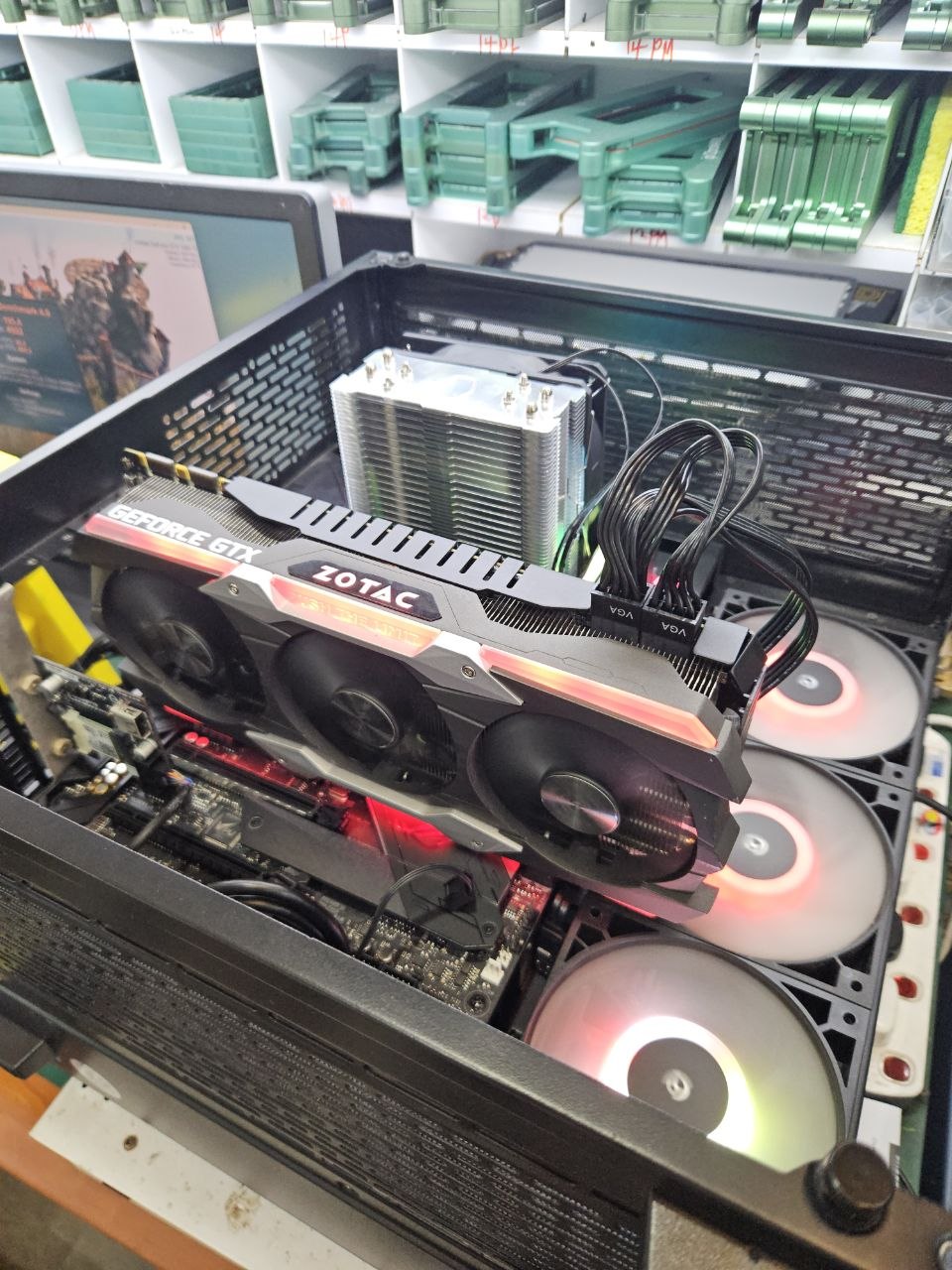
Used GPUs get a bad reputation — and honestly, some of it is deserved. There are sellers out there moving dead mining cards and burnt-out hardware at suspiciously low prices. But buying used doesn’t have to mean buying blind. If you know what to check, a quality used GPU is one of the smartest purchases you can make in Singapore right now.
The used GPU market in Singapore is active — you’ll find everything from barely-used cards sold by upgraders to heavily-mined GPUs that have been through years of abuse. The difference in value between those two scenarios is enormous, but to an untrained eye the cards can look identical in a listing photo.
This guide covers exactly what to check before handing over any money — whether you’re buying from a shop, a friend, or a stranger online.
Why people are nervous about used GPUs
The fear is understandable. A GPU is one of the most expensive components in a PC build. If you buy a faulty one, you’ve wasted money and potentially damaged your system. The most common concerns are:
Mining history
GPUs used for crypto mining run at full load 24 hours a day for months or years. This puts enormous stress on the card, particularly the VRAM and fans.
Overclocking damage
Aggressive overclocking beyond safe limits can degrade VRAM and other components over time, leading to instability that only shows up under load.
No warranty
Buying from a random seller means zero recourse if something goes wrong. The card dies a week later — that’s your problem.
Misleading photos
A clean-looking card in photos can hide physical damage, burnt components, or missing thermal pads that only show up when you open it up.
These are real risks. But they’re also manageable risks — if you know what to look for.
What to check before buying a used GPU
1 — Ask directly about mining history
Any honest seller will tell you. If they dodge the question or give a vague answer like “light use only”, treat that as a red flag. Mining history doesn’t automatically make a card bad — it just affects the price and warranty terms. What you want is honesty, not evasion.
What to ask: “Was this card ever used for mining or run at sustained full load for extended periods?” A straightforward yes or no is what you’re looking for.
2 — Check the fans
Spin the fans manually before powering on. They should spin freely with no grinding, clicking, or resistance. Worn fan bearings are a common issue on heavily used cards. Replacement fans are available but it’s an added cost and hassle you’d rather avoid.
3 — Inspect the thermal paste and pads
Old, dried-out thermal paste causes poor heat transfer, leading to high temperatures and thermal throttling. If the card hasn’t been repadded in years, factor in the cost of a repaste — it’s around S$20–30 for materials and takes about 30 minutes if you’re comfortable doing it yourself.
4 — Run a display output test
Plug the card in and check that it outputs cleanly on all ports. Look for artifacting — small coloured squares, flickering, or visual noise on screen. These are signs of VRAM damage and are a serious red flag. A healthy card should display cleanly with no visual anomalies at all.
Red flag: Any artifacting at all — even minor or intermittent — should be treated as a dealbreaker unless the card is priced to reflect a known fault and sold with full disclosure.
5 — Run a stress test
Tools like FurMark or 3DMark push the GPU to full load and reveal instability that wouldn’t show up in normal desktop use. Run it for at least 10–15 minutes and watch for crashes, driver errors, or sudden temperature spikes. A healthy card should run stable with temperatures staying within normal range.
6 — Check VRAM with MemTest86 or VRAM tools
VRAM errors are one of the most common failure modes in heavily-used GPUs. Tools like OCCT or GPU-Z with a VRAM stress test can reveal errors that don’t show up visually. This is especially important for cards with a known VRAM issue history.
7 — Inspect physically
Look for bent PCIe fingers, cracked PCB, signs of liquid damage (white residue or corrosion), and any obviously replaced or missing components. Turn it over. Check the backplate if there is one. A card that’s been looked after will show it.
The buying options in Singapore — compared
| Where | Pros | Cons |
|---|---|---|
| Carousell / HardwareZone | Wide selection, competitive prices | No testing, no warranty, buyer beware |
| Friend or colleague | Known history, some trust | Limited selection, awkward if it fails |
| Sim Lim Square shops | Physical store, some accountability | Varies widely by shop, not always tested |
| Respawn.sg | Tested, graded, warranty included, honest disclosure | Smaller selection than Carousell |
The honest answer is that Carousell has the widest selection and lowest prices — but those prices exist because there’s no accountability. You are fully responsible for what you buy. For many people that’s fine, especially if you know how to test hardware yourself.
If you’d rather pay a modest premium for a tested, graded card with a warranty and someone to call if something goes wrong, a specialist refurbishment shop is the better option.
What “tested and graded” actually means at Respawn
Every GPU we sell goes through the same process before it hits our listings. We check display output on all ports, run VRAM stability tests, verify thermal performance under load, inspect fans, and check physical condition. Based on what we find, the card gets a grade:
Grade S — 2 months warranty
Premium condition. All tests passed. No mining history. Original cooler and accessories intact.
Grade A — 1 month warranty
Good working condition. Minor cosmetic wear. All functions tested and confirmed stable.
Grade B — 2 weeks warranty
Functional with minor issues — cosmetic damage, mining history, or non-original cooler. Tested working.
Ungraded — No warranty
Sold as-is. All known faults disclosed at point of sale. Priced accordingly.
You’re always told exactly what grade a card is before you buy, and the warranty period is confirmed in-store. No surprises.
The bottom line
Buying a used GPU in Singapore is safe — if you know what to check or buy from someone who has already done that work for you. The risks are real but manageable. A Grade A RTX 3060 from a trusted source at S$220 is a significantly better deal than the same card new at S$480, and for most use cases the difference in real-world performance is zero.
The question isn’t whether to buy used. The question is who you buy from and what they’ve checked before selling it to you.
Looking for a tested, graded GPU?
Browse our current stock — every listing shows the grade, warranty period, and full test history. Walk in at Bugis Village or WhatsApp us to check availability.